Testing with the Java Console
I assume that you are familiar with the Java Development Kit. Open a DOS session and make the HolonJ directory active. Since the directory is included in the path (see installation), the Java interpreter finds the classes. The class file must contain the usual method main ( string [] args -- ).
Example
Here are two DOS sessions, one each for HolonJ and for the Java interpreter's console window.
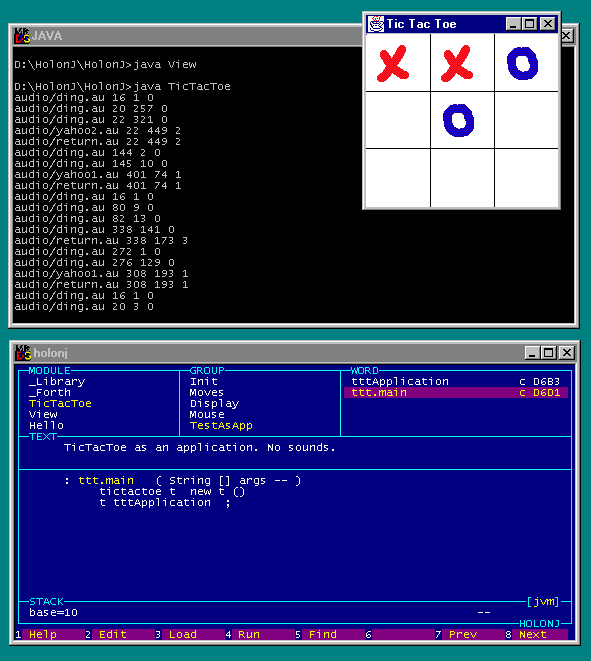
The example method
ttt.main is compiled into the class file as
the method "main". HolonJ only uses the final part of a name
after a dot.
Remarks
- Sound is not supported in applications, only in applets. When
testing as an application I replace the audio response by printing the
name of the audio file.
- It may take a while until java has loaded all the classes, and you
see the application running. Be patient.
- This classical method of testing works quite well, I have created
several applets
in this way. Java checks the classes thoroughly while loading and gives
useful error messages. Changing the source in HolonJ and reloading a class is a
matter of seconds. It helps to have DOSKEY active in the DOS session, in
order to recall the last command line with the <up> key.
But I prefer the umbilical method.